Your restaurant, in your pocket.
Invoices, shifts, tips and myDATA, organized on their own. You take care of the restaurant.
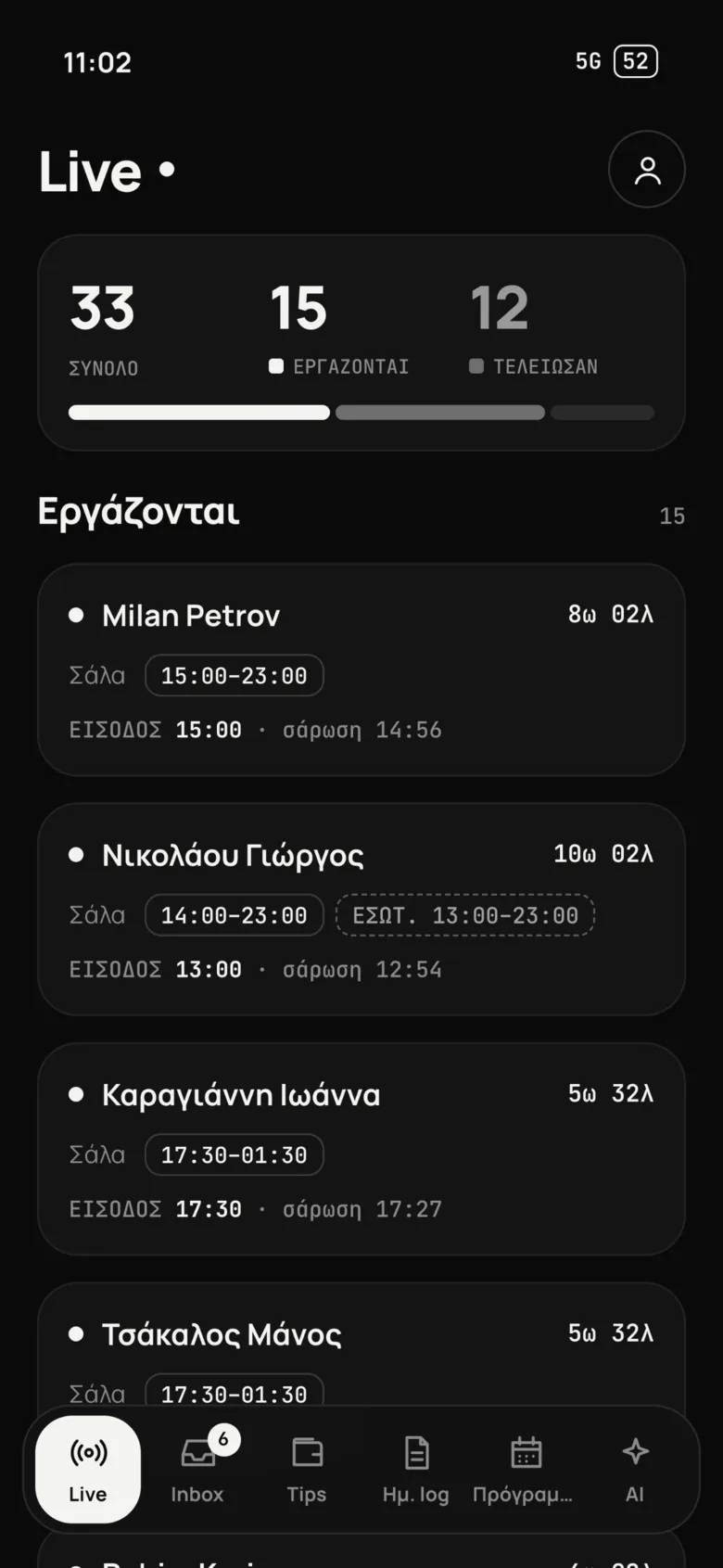
You know who's working. Right now.
Who clocked in, who's missing, who worked overtime. Live, by department, no phone calls.
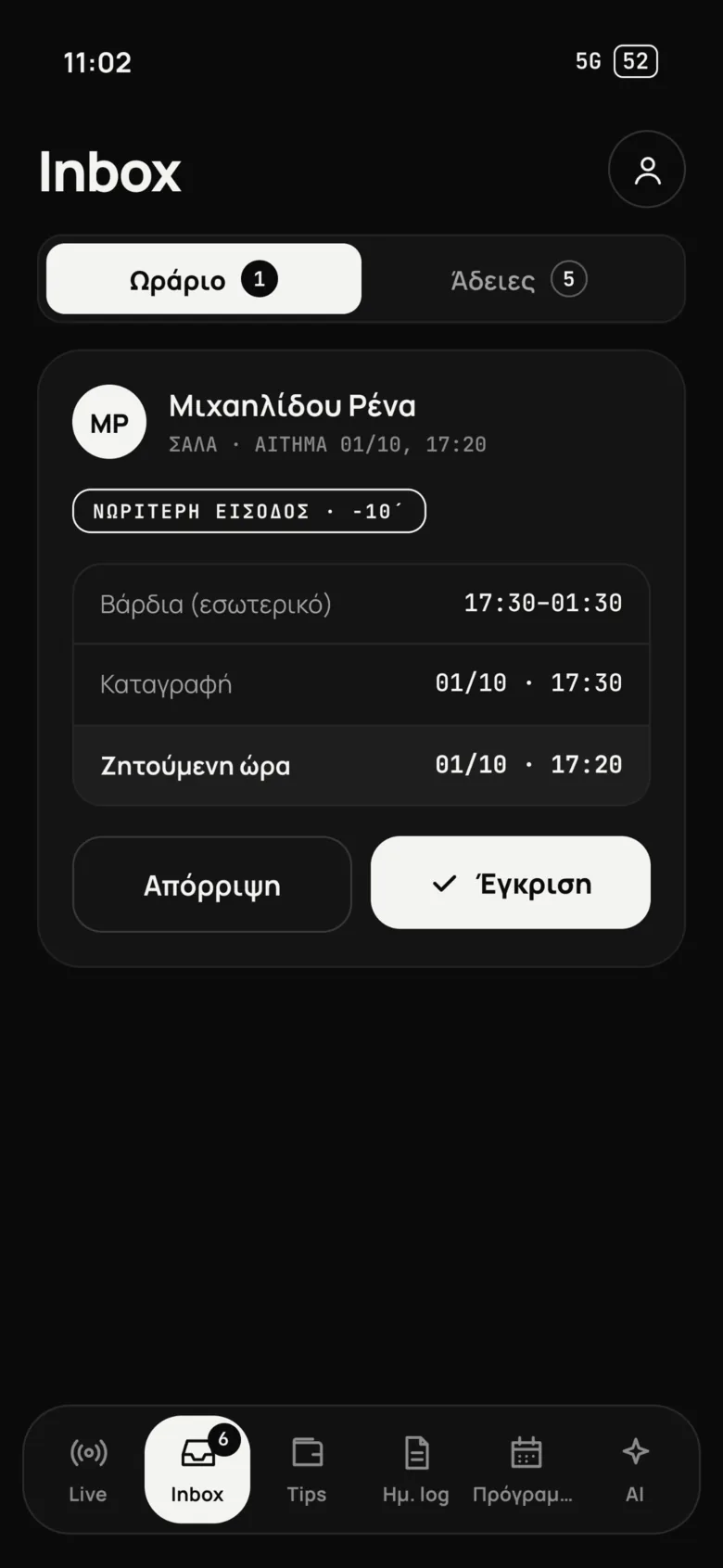
Everything in one inbox. One tap.
Off-site clock-ins, shift requests and leave. The manager approves from their phone; nothing gets forgotten.
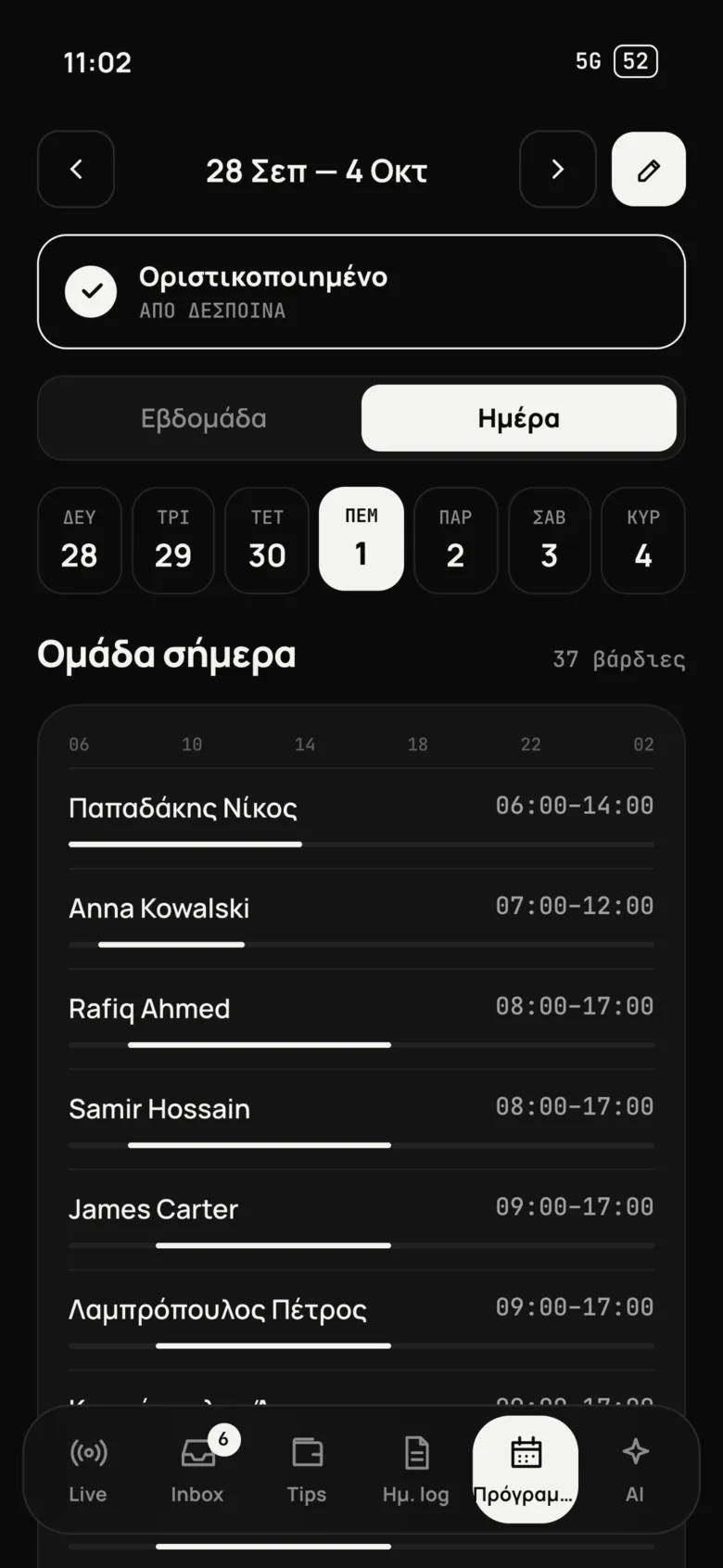
The schedule, in a minute.
Build the week on one screen and send it. Everyone sees their own; Ergani is updated on its own.
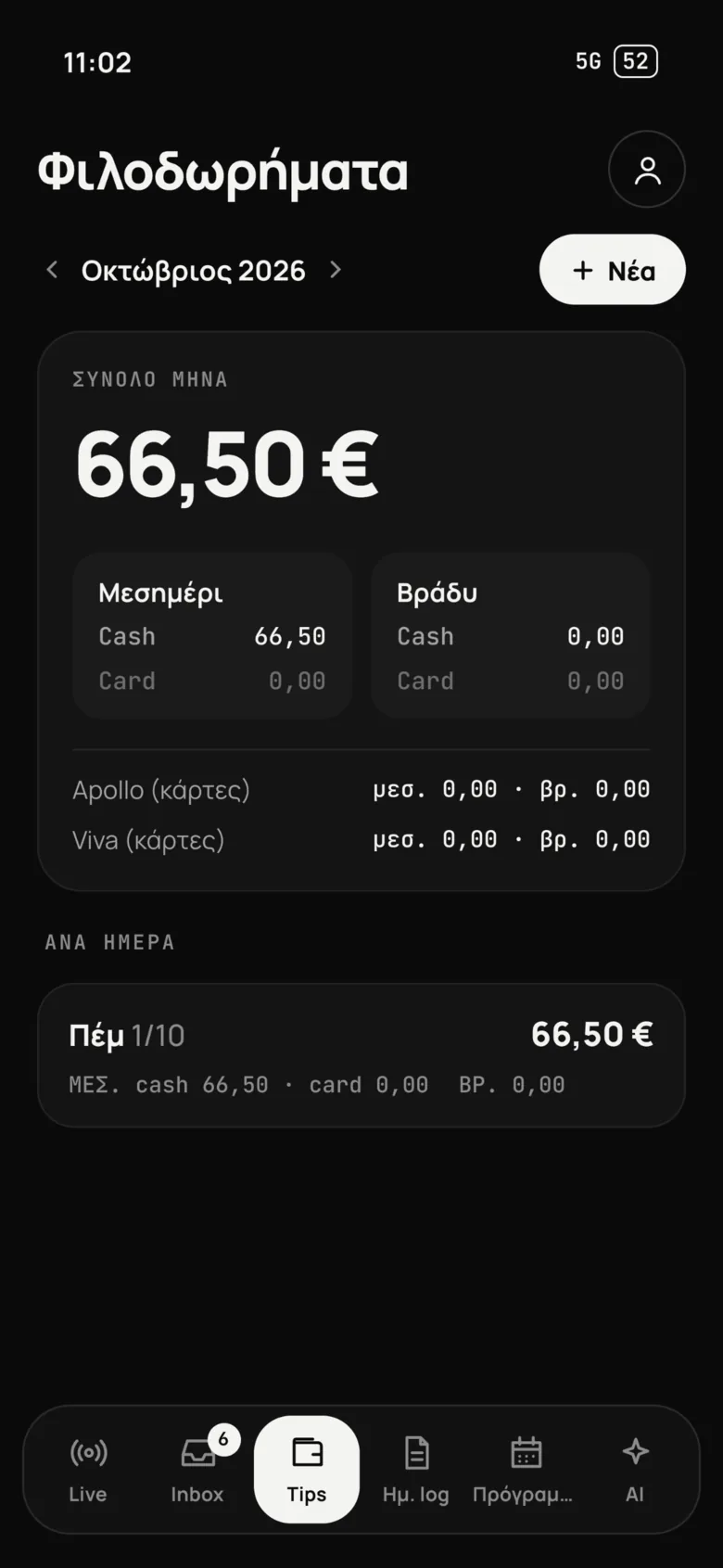
Tips nobody argues about.
Card and cash from Apollo, Viva or whatever you use. Split by points and hours: fair, and the same every time.
You close up.
You turn off the lights.
You leave.
Built inside a kitchen to solve what happens outside it.
Not software — one more colleague.
Give it a name. Give it roles.
It books the invoices, reminds you what you owe, knows who's working and how much they made in tips. Your most organized colleague, and it never sleeps. With memory: the Tefteri notebook keeps everything the restaurant learns.
- Books invoices
- Matches myDATA
- Reminds you what you owe
- Tells you who's working
- Calculates tips
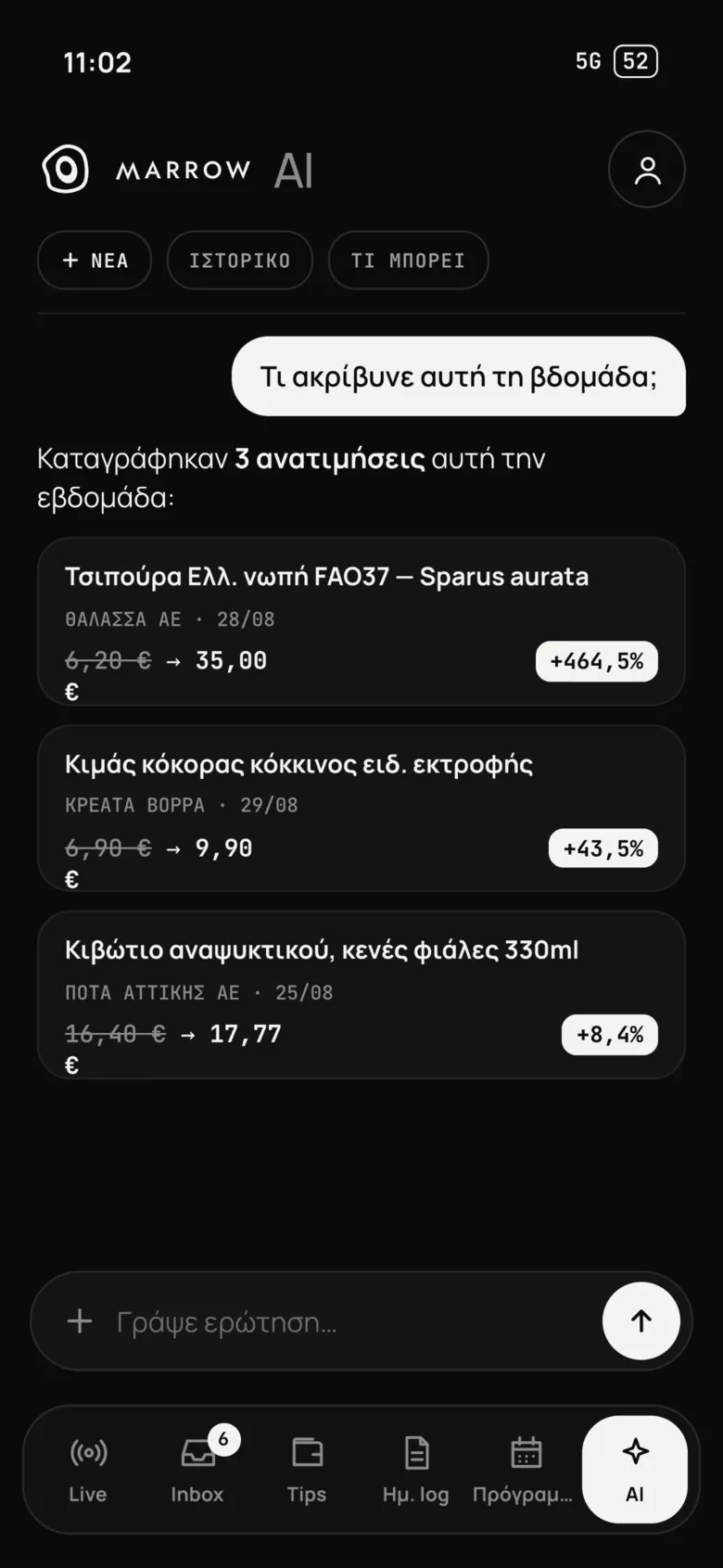
- Spots price increases
- Calls suppliers
- Writes emails
- Answers on cash & taxes
- Prepares ordersSOON
- Counts deliveries from a photoSOON
Three steps. None of them yours.
Demo
15 minutes, on your own scenarios. You see exactly what changes in your day.
We set it up
We connect myDATA, email and POS. Nothing to install, nothing to migrate, nothing to learn.
Your first quiet evening
Invoices get filed, hours get counted, the schedule goes out with one tap.
Answered before you ask.
No. Documents come from myDATA, cards and tips from Viva, sales from your cash register. You work the way you do today.
Staff scan a QR code to clock in and see their schedule on their phone. There's nothing to learn.
You do. Every business has its own isolated database. The myDATA connection is read-only.
It depends on the size and needs of your restaurant. Book a demo for a specific proposal, with no commitment.
In the browser with nothing to install, and on your phone from the App Store and Google Play, for you and for your staff.

See in 15 minutes.
Live, with a real person, on your own scenarios. You don't need to prepare anything.